




If someone has reposted a photo or video of yours to Instagram without permission, you can request removal online from Repscan and stop the content from spreading across accounts, theme-based profiles, or pages that live off republishing other people’s material.
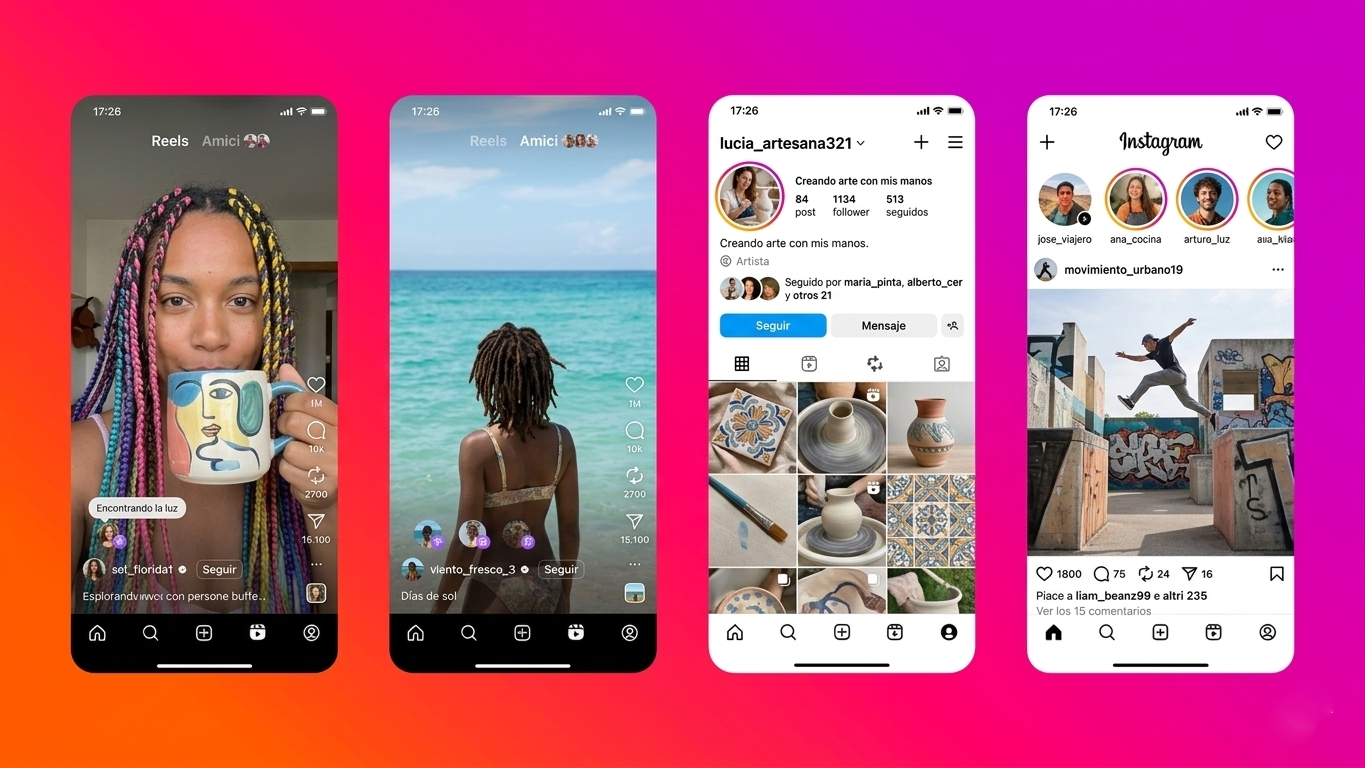
This problem is more common than you might think. There are accounts that download reels, screenshots, carousels, or stories from other profiles and post them again to gain views, engagement, or sales. Sometimes they keep your name. Other times they delete it, crop it, or post it as if it were theirs.
Just because an image or video is on Instagram doesn’t give third parties permission to repost it themselves. Sharing a post using Instagram’s native share function is not the same as downloading it and posting it again. That’s where everything changes.
Is a photo of you harming your image?
What counts as a repost on Instagram
A repost is a republication. The content was already posted by its original author, and another account posts it again on their own profile. They can do it in several ways:
- Downloading the photo and posting it as a new publication.
- Saving a reel and posting it again.
- Cropping a video to make it look different.
- Removing the watermark or the original account name.
- Using someone else’s image to sell products, gain followers, or drive traffic.
There are also partial reposts. For example, an account takes your story, converts it to a fixed image, and posts it as their own. Or they extract a few seconds from a reel and reuse them as if they were their own material.

When you can request removal
Not all external sharing results in removal. You need to distinguish the cases carefully.
If someone shares your post using Instagram’s tools and that action falls within normal platform usage, the situation is different than if they download the file and repost it on their own profile.
Removal usually works in cases like these:
- They posted your photo without your authorization.
- They reposted a reel or video recorded by you.
- They used your image to promote a brand, account, or product.
- They removed your signature, name, or watermark.
- They modified the material to pass it off as theirs.
- The post affects your image, privacy, or professional activity.
- It’s intimate, personal photos, or taken from a private account.
If there’s also impersonation, mockery, harassment, sexualization, or mass distribution, the matter becomes serious and you should act quickly.
Step-by-step to remove a repost on Instagram
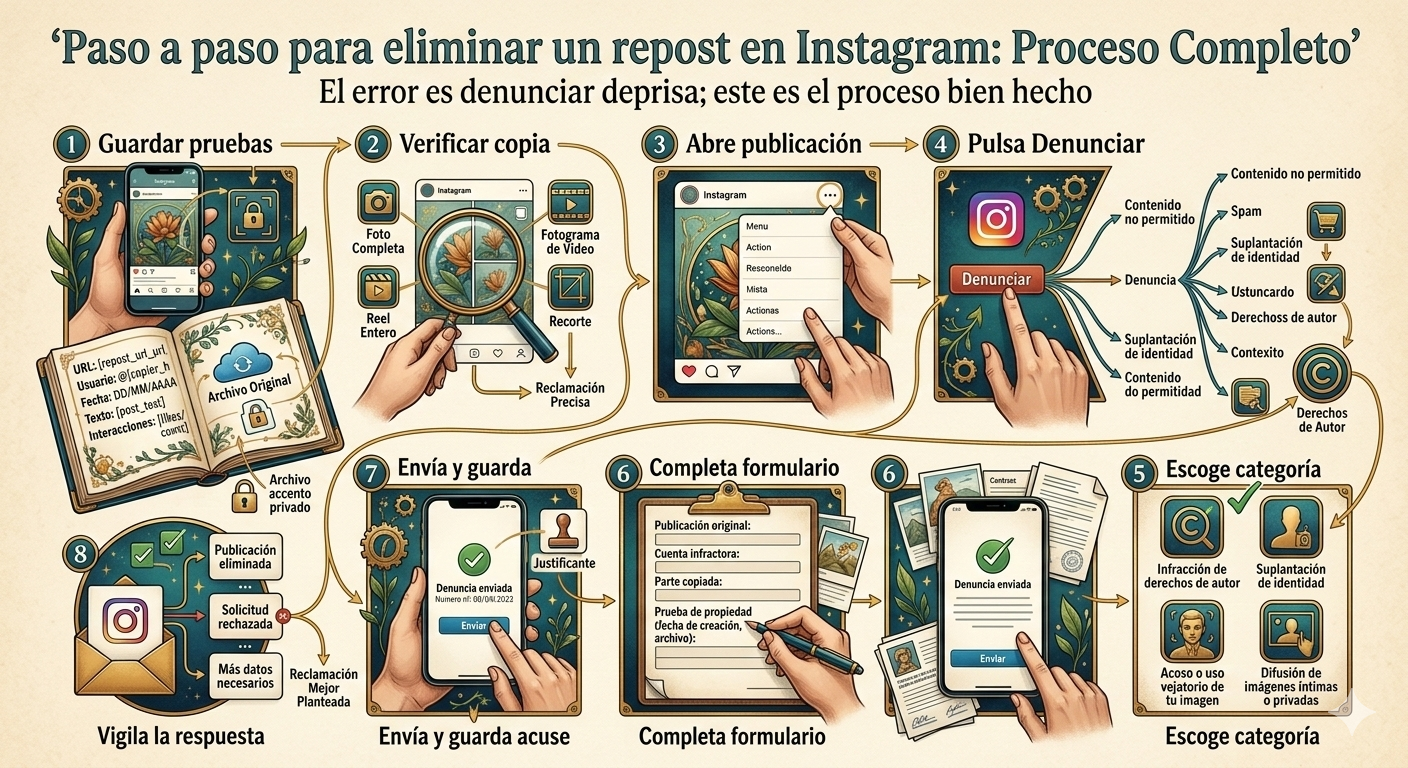
Instagram allows you to report posts from within the app itself. The problem is that many users do it quickly, choose the wrong category, or submit a weak complaint. Then it gets rejected and they think there’s nothing else to do. That’s the mistake.
Here’s the process done right.
1. Save evidence before touching anything
Before reporting, gather evidence. If the post disappears, you’ll be left without documentary support.
- Take screenshots showing the profile that posted the repost.
- Save the post’s URL.
- Note the exact username.
- Take screenshots showing the date, post text, and interaction numbers if visible.
- Save your original post or the original file on your device.
If the material came from a private account, a temporary story, or a restricted group, document that too.
2. Verify exactly what was copied
Don’t report blindly. Check if they copied the entire piece or just part of it.
You need to be clear about whether they used:
- The complete photo.
- A frame from your video.
- An entire reel.
- A clip of several seconds.
- A post edited with minimal changes.
This matters because Instagram tends to value a precise complaint more than a generic one.
3. Open the copied post
Go to the post, reel, or carousel where your material is. Tap the three dots in the top corner.
The action menu will open.
4. Tap “Report”
Instagram will ask you to specify the reason. This is where many people fail.
Don’t choose just any option to move quickly. If the problem is that they reposted your photo or video, the complaint should go through copyright, unauthorized image use, or a similar route, depending on the case.
5. Choose the correct category
The most common ones are these:
- Copyright infringement.
- Impersonation.
- Harassment or abusive use of your image.
- Distribution of intimate or private images.
If you pick a category that doesn’t fit, the report loses strength from the first moment.
6. Complete the form with specific details
It’s not enough to write “that photo is mine.” You need to make clear:
- What original post belongs to you.
- What account reposted it.
- What part was copied.
- Why they have no permission.
- What harm it’s causing you.
If you have the original file, creation date, prior posting on your profile, or any additional proof, mention it.
7. Submit the report and save the receipt
Once submitted, take a screenshot of the receipt or confirmation message. If you need to follow up or open another channel later, it will be useful.
8. Monitor Instagram’s response
Instagram may remove the post, request more information, or reject your request. It doesn’t always respond as quickly as users expect. It also doesn’t always get it right the first time.
If the report fails, don’t consider the matter closed. Many removals come after a better-planned complaint.
What to do if Instagram doesn’t remove it
This is where many people get stuck. They report once, receive a denial, and give up. Bad move.
There are several reasons why a request might fail:
- The category you chose wasn’t correct.
- The complaint wasn’t well developed.
- Evidence was missing.
- The post was modified and the system didn’t detect the copy well.
- The account that posted it is replicating material from many users and plays with cropped versions.
If that happens, you need to redo the complaint with more precision or open a formal removal channel.
Difference between sharing and reposting
Instagram is full of accounts that hide behind a false idea: “I just shared it.” That’s not always true.
Sharing within the platform can mean sending a post by direct message or posting it to stories using the app’s own functions. Reposting is another thing. There’s already downloading, new posting, alteration, or appropriation of someone else’s material.
That difference completely changes how you report it.
What if they used your photo to sell or promote something
The situation gets worse if your image is linked to a brand, a giveaway, a store, or an account that wants to make money from it.
Then we’re not just talking about an annoying repost. We’re talking about image exploitation, possible deception of third parties, and reputational damage if they link you to something you haven’t authorized.
These cases usually require a faster response because the post can spread, be captured by other accounts, or end up replicated outside Instagram.
What to do if the repost appears on multiple accounts
This happens a lot too. You find one post and then ten more appear. Or a large page posts the material and small accounts start copying it.
In that scenario, it’s best to work methodically:
- Make a list of profiles.
- Save the URL of each post.
- Separate main accounts from secondary ones.
- Start with the ones with the most reach or visibility in search engines.
- Check if any are using your name, face, or brand repeatedly.
Going one by one without control usually wastes your time and leaves active pieces.
Manual removal or professional management
You can try removal on your own. In fact, in simple cases it’s best to try first. If the post is isolated, the account has little activity, and the infringement is clear, sometimes a well-done report is enough.
The problem comes if:
- The account doesn’t get taken down.
- The material appears again.
- There are multiple posts.
- It’s intimate photos or sensitive material.
- Your image is already spreading outside Instagram.
- The post affects your work, your brand, or your personal life.
Then it’s worth escalating management.
Repscan handles removal of photos, videos, fake profiles, and posts distributed without permission. If the repost is already causing harm or being replicated, letting it go usually works against you.
How long does it take for a repost to be deleted
There’s no single timeframe. It depends on the type of post, the evidence you provide, the channel used, and whether multiple accounts are involved.
What you should be clear about is this: the sooner you detect and file the complaint, the less room there is for other accounts to copy it, download it, or post it outside Instagram.
What if the repost has already spread outside Instagram
Another common mistake is thinking the problem ends when you delete the original post. Not always.
There may be copies on:
- TikTok.
- X.
- Facebook.
- YouTube Shorts.
- Blogs.
- Forums.
- Viral compilation pages.
If the content has already left Instagram, the work changes. You need to locate where else it’s posted and evaluate each removal separately.
Remove an Instagram repost before it spreads further
A repost isn’t always just a simple annoyance. Sometimes it ends up as impersonation, harassment, commercial use of your image, or mass circulation of a video that shouldn’t be posted by third parties.
That’s why it’s important to act with method: save evidence, report well, insist if the first complaint fails, and escalate removal if the post remains active or starts spreading across more accounts.
Category: Content removal

En RepScan se encarga de Growth y del ecosistema digital de la compañía (web y eshop). Escribe sobre reputación online, eliminación de contenido perjudicial y protección de la identidad digital de personas y empresas.
Ver perfil de LinkedIn