




If you no longer have access to your Facebook account for any reason, don’t worry—if you still want to access it, you’ll be able to.
While recovering a Facebook password is quite common, we’ll also teach you how to recover your Facebook account in other scenarios, such as a lost or forgotten email address.
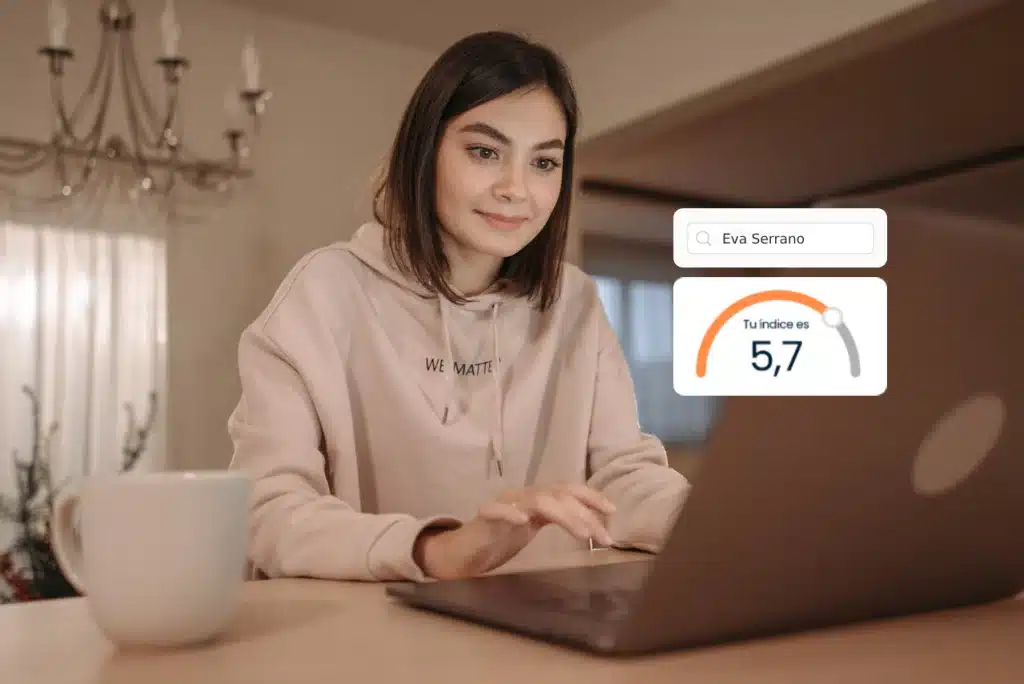
Is someone impersonating you online?
How to recover my Facebook account?
To recover your Facebook account, the first thing you need to do is identify the problem you’re facing. To access your account, you’ll need to know your email and the password you set up. If you can’t remember either of these, you’ll find detailed information below to help you recover your account step by step. If you’ve decided to delete your Facebook account and want to recover it, you’ll need to use other methods, and it may not always be possible.
Is someone impersonating you online?
We remove fake profiles and accounts using your name or your image.
How can I recover my Facebook password?
Follow the steps below and you’ll be able to access your Facebook account again quickly.
- Required access:
Make sure you have access to the email address with which you registered your Facebook account. - Start the recovery process:
- Go to the Facebook home page.
- Enter your email address or phone number (if you have one configured).
- Click on the option “Forgot password?”.
- Receive the verification code:
- Facebook will send an email to your registered address.
- Open the email and locate the code that was sent to you.
- Enter the code:
- Enter the code on the Facebook page where it’s requested.
- Once validated, you’ll have the option to create a new password.
- Create a new password:
- Your new password cannot be one you’ve used before.
- Review your account security:
- Go to Security Settings.
- Click on “Open all sessions”.
- Select the “Log out of all sessions” option.
If for any reason you can’t access your Facebook account using this method, we’ve provided other options below to help you recover your Facebook password and regain access to your account.
How can I recover my Facebook account if I forgot my email?
If you’ve forgotten the email address associated with your account and need to recover your password, don’t worry—you still have options available:
- Recovery via mobile phone:
- If you have a phone number linked to your account, you can choose this option.
- Facebook will send a verification message to your registered number, allowing you to continue the recovery process without needing to use an email address.
- Don’t have a registered phone number?
- If you haven’t associated a number with your account, there are still alternatives. You’ll find more solutions for this problem in the following section.
Remember that keeping your recovery information up to date, such as your email address and phone number, is key to avoiding problems in the future.
How can I recover my Facebook if I forgot both my email and password?
Although this may seem like a complicated problem, it’s still possible to recover your account by following these steps:
- Verify your identity:
Take a clear photo of your government-issued ID (both sides). Make sure the information is legible and that there are no reflections or shadows that would make it difficult to read. - Contact Facebook support:
Send images of your document along with a detailed explanation of what happened. Include:- The reasons why you don’t have access to your account.
- Any additional information that may help identify it (email address, username, etc.).
- Demonstrate willingness to cooperate:
Be honest and open when communicating with support. They may ask you security questions or require additional information to confirm your identity. - Wait for a response:
The Facebook team will carefully analyze your request. In most cases, you’ll receive a response within 48 hours.
By following these instructions and demonstrating a willingness to cooperate, you’ll have a better chance of recovering your account.
How can I find out what my Facebook email is?
It’s common for some users to leave their Facebook session open on a PC or mobile device and, over time, forget which email address was associated with the account. Although this may seem like a minor oversight, this information is essential for regaining access in the event of a logout or if you need to reset your password.
How to find the email associated with your Facebook account:
- Access settings:
- Log in to your Facebook account.
- Go to the Settings menu (usually accessible from your profile icon or the side menu).
- Check the general section:
- Once in Settings, you’ll be in the General section by default.
- Look for the section called Contact, where your account’s associated email address will be displayed.
This simple step will allow you to identify the linked email, essential information for managing your account in the future.
How can I recover my Facebook using my name?
If you don’t remember the email address associated with your Facebook account, you can still recover it using your name. Here’s how to do it:
- Access the recovery option:
- Go to Facebook’s login page and select “Forgotten account details?”.
- Instead of entering your email address or phone number, type your username.
- Find your profile:
- Facebook will display a list of profiles that match the name you entered.
- Identify your account by selecting the profile that shows your profile picture.
- Continue with the usual process:
- Once you’ve selected your profile, Facebook will send an email to the address associated with the account with the necessary instructions to continue.
- Follow the indicated steps to regain access.
This method is especially useful if you’ve forgotten your login details but remember your name and profile picture.
How can I recover my Facebook password on a new phone number?
If you have a phone number linked to your Facebook account, you can use it to reset your password easily. However, it’s important to keep some key points in mind:
- Use the linked number for recovery:
- In the recovery process, select the option to reset your password using your registered phone number.
- Facebook will send you a verification code via SMS, which you’ll need to enter to continue.
- Update or change your phone number:
- If you want to change the number linked to your account, you must do so from the security options within your profile.
- Make sure to keep this information updated to avoid problems in the future.
- Forgot your associated number?
- If you don’t remember the number you have registered, you won’t be able to change it from outside your account.
- This is because allowing an external change would compromise security, as anyone could try to link their number to your account.
Keep your information updated and secure to make it easier to recover your account in the event of any inconvenience.
How can I recover my Facebook account with my government-issued ID?
If you’ve lost access to your Facebook account and don’t remember any information to recover it, you can use your government-issued ID as a last resort. Follow these steps to try:
- Prepare your ID:
- Make a photocopy or take a clear photo of both sides of your government-issued ID.
- Make sure the information is completely legible and not blurry or cut off.
- Contact Facebook support:
- Send the images of your ID to Facebook’s technical support through the account recovery form.
- Include a detailed description explaining the situation and any information that may help identify your account (full name, associated email address, etc.).
- Be clear and cooperative:
- Explain what happened with accuracy, being honest and providing all the information that can facilitate the identification process.
- Respond willingly if they ask for additional information or any extra verification.
- Wait for a response:
- The Facebook team will carefully analyze your request.
- Normally you’ll receive a response within a few hours or at most within 48 hours.
With this procedure and a cooperative approach, you’ll have a better chance of recovering your account in the shortest time possible.
How do I recover a Facebook account that I can’t log into?
If you can’t access your account, you likely need to reset your password. Follow these steps to do so:
- Access the recovery process:
- Go to Facebook’s home page and select the option “Forgotten account details?”.
- Follow the instructions to recover your password using the methods you have configured (email address, phone number, etc.).
- Verify your device’s security:
- Before proceeding, make sure your computer or mobile device is free from viruses or malware.
- If you suspect your account has been hacked, it could be due to an infected device that exposed your login information.
- Change your password:
- Once you’ve recovered your account, set a new, more secure password. Mix uppercase and lowercase letters, numbers, and symbols to increase protection.
- Review your account’s security settings and enable options like two-step authentication for added security.
- Clean your device:
- Run a complete scan of your computer with a reliable antivirus to remove any threats.
- Keep your devices up to date and protected to prevent future problems.
Recovering your Facebook account is a simple process as long as you have access to the necessary information. If you encounter more complex difficulties, don’t hesitate to contact us; we’ll be happy to help.
Category: Tools · Tags: Privacy, Security
En RepScan se encarga de Growth y del ecosistema digital de la compañía (web y eshop). Escribe sobre reputación online, eliminación de contenido perjudicial y protección de la identidad digital de personas y empresas.
Ver perfil de LinkedIn